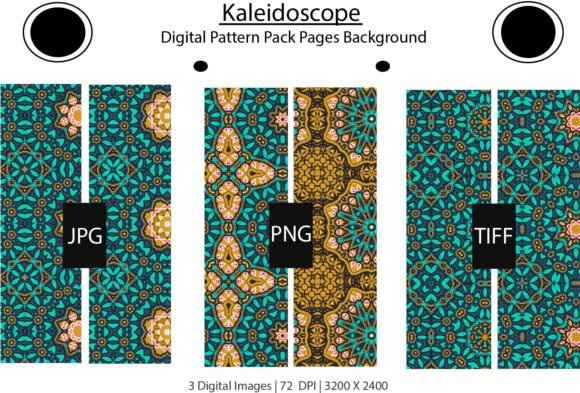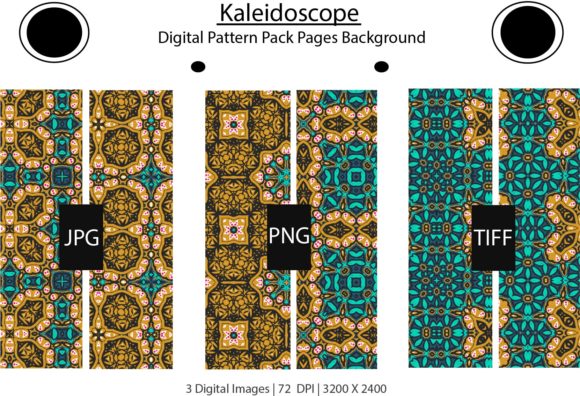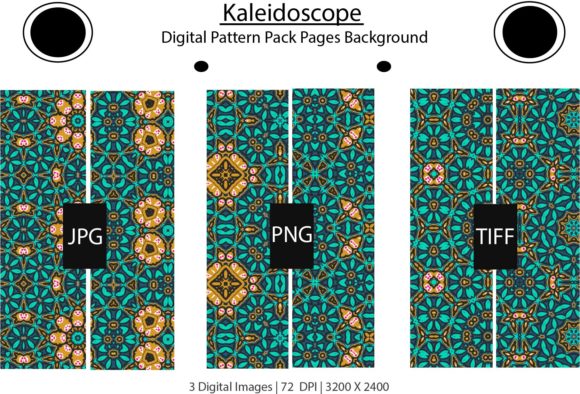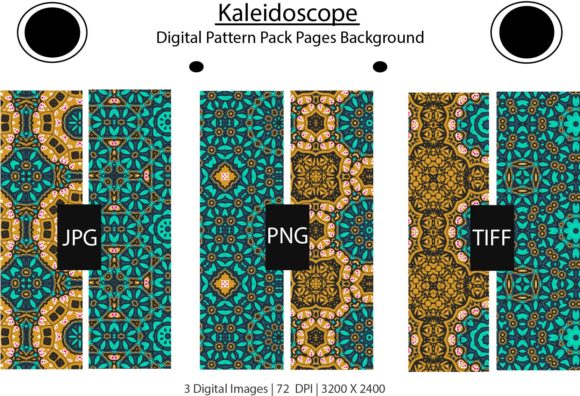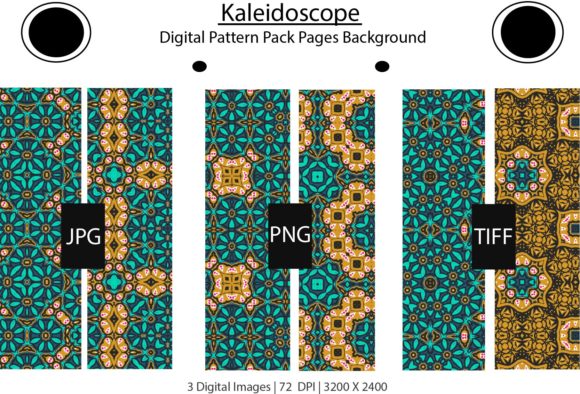
Kaleidoscope Digital Paper Patterns Pack
When you work with digital design, print projects, or content creation day after day, you quickly realize how much the right background or pattern can transform a piece from ordinary to memorable. The Kaleidoscope Digital Paper Patterns Pack offers a versatile collection of intricate, symmetrical designs that bring depth, color, and structure to a wide range of projects. Whether you are building a brand identity, designing classroom materials, or putting together a personal scrapbook, these patterns give you a polished starting point without requiring hours of custom illustration work.
What Makes This Pattern Pack Stand Out
At its core, the Kaleidoscope Digital Paper Patterns Pack provides a set of high-resolution digital papers inspired by the geometric, repeating motifs you find in a kaleidoscope. Each pattern features a balanced composition with repeating elements that create a sense of harmony and visual interest. The symmetrical nature of these designs means they work well as full backgrounds, accent pieces, or even as elements you can layer with other graphics.
One of the first things you notice is the range of colorways and pattern complexity. You get options that feel bold and vibrant alongside others that are more subdued and subtle. This variety makes the pack adaptable across different tones and audiences. If you need something playful for a children's project, there are bright, busy patterns. If you need something elegant for a wedding invitation or corporate presentation, the more restrained designs fit naturally.
What You Actually Receive
The pack comes in a single zipped file, which keeps everything organized and easy to download. Inside, you find three file formats for each pattern:
- TIFF File – Ideal for professional print work where you need lossless quality and flexibility in editing. TIFF files retain fine details and color depth, making them a strong choice for commercial printing or archival projects.
- JPG File – Perfect for quick use in digital environments, social media graphics, websites, or any situation where file size matters without sacrificing too much quality.
- PNG File – Useful when you need a transparent background or want to overlay patterns onto other designs. PNG files give you clean edges and support for layering in applications like Photoshop, Canva, or Procreate.
Having all three formats means you can move seamlessly between print and digital workflows without needing to convert files yourself. That kind of convenience saves time, especially when you are juggling multiple projects or tight deadlines.
Practical Applications Across Different Settings
The real value of the Kaleidoscope Digital Paper Patterns Pack becomes clear when you start applying it to actual work. These patterns are not just decorative—they serve functional roles in communication, branding, and engagement.
For Entrepreneurs and Small Business Owners
If you run a business, consistent visual branding is essential. Using these patterns as background elements on your website, in email newsletters, or on product packaging creates a cohesive look without needing a dedicated designer. For example, you could use a subtle kaleidoscope pattern as a watermark on your invoices or as a repeating background on your social media templates. The symmetrical design helps your materials look intentional and professional, which builds trust with your audience.
You can also use the patterns in product photography. Placing a printed pattern behind a product shot adds context and visual interest without distracting from the item itself. This works especially well for handmade goods, skincare products, or small-batch food items where you want the packaging to feel curated.
For Educators and Content Creators
Teachers and educators often need visually appealing materials that hold students' attention while remaining readable. The patterns in this pack can be used as borders on worksheets, as backgrounds for slides, or as decorative elements in classroom newsletters. Because the designs are geometric and structured, they provide a nice frame for text without overwhelming it.
Bloggers and content creators can use the patterns for featured images, Pinterest pins, or YouTube thumbnails. A repeated kaleidoscope pattern behind a bold title helps the graphic stand out in crowded feeds. The key is to choose a pattern with colors that complement your brand palette so everything feels unified.
For Freelancers and Designers
If you take on client work, having a library of ready-to-use patterns speeds up your workflow. You can pull a pattern to use as a placeholder in early mockups, then refine or swap it later. The TIFF files are especially useful here because you can edit them at a high resolution without losing detail. You might adjust the contrast, recolor the pattern, or combine multiple patterns to create custom compositions.
For scrapbookers and memory keepers, these digital papers work well in hybrid projects. Print them at home or through a print service, then use them as backgrounds in physical albums. The PNG files give you the flexibility to cut out shapes or layer photos on top of the pattern cleanly.
Usability and Efficiency Benefits
One of the strongest aspects of the Kaleidoscope Digital Paper Patterns Pack is how easy it is to use. You do not need advanced design skills to get good results. If you can drag and drop an image file into a document, you can use these patterns effectively. Software like Canva, PowerPoint, Word, or Google Slides accepts these file types without issue, so you are not locked into a particular tool.
The zipped file structure is straightforward. Unzip the folder, and you see clearly named files organized by format. You can search by file type or by pattern name if they are labeled, which saves time when you are looking for a specific design.
Another efficiency gain comes from the fact that these patterns are seamless or nearly seamless. When you use them as backgrounds, they tile evenly without obvious breaks. This means you can scale them up for large prints or use them repeatedly in digital layouts without worrying about awkward seams.
Realistic Observations and Practical Considerations
While the Kaleidoscope Digital Paper Patterns Pack is versatile, it helps to know when and where to use it for the best effect. The patterns are detailed, so they are not ideal for areas where you need lots of white space or minimal distraction. Use them intentionally—on a single page element, as a header background, or inside a frame rather than covering an entire page with a busy print.
Color matching is another consideration. The patterns come in fixed color combinations, so you need to check if they align with your existing brand or project palette. If you are comfortable editing in Photoshop or a similar tool, you can easily adjust the hue or saturation of the TIFF or PNG files. For quick adjustments, you can also overlay a semi-transparent shape in your design software to shift the overall tone.
File resolution matters for print. Make sure you check the DPI of the TIFF files before sending them to a commercial printer. Most print shops prefer 300 DPI for high-quality results. The JPG files are fine for digital use but may show compression artifacts if you blow them up too large, so stick with TIFF or PNG for large-format printing.
Final Thoughts on Getting the Most Out of Your Purchase
The Kaleidoscope Digital Paper Patterns Pack gives you a flexible, ready-to-use resource that fits into both personal and professional workflows. Whether you are designing a client presentation, creating educational handouts, or building a visual brand from scratch, the included formats and symmetrical motifs save you time while adding a polished look. The key is to experiment with scale, layering, and placement so the patterns enhance your message rather than compete with it.
Keep the files organized in a folder you can easily access, and consider creating a small sample sheet of your favorite patterns printed at full size. That way, you can physically see how the colors and details translate from screen to paper. With the included TIFF, JPG, and PNG options, you have everything you need to move quickly from concept to final product. Thank you for your interest in the product, and I hope you enjoy putting these patterns to work in your next project.