Simple Abstract Seamless Patterns: Versatile Textures for Every Creative Project
In the world of design, texture often makes the difference between a flat, forgettable composition and one that feels rich, intentional, and polished. Yet sourcing high-quality repeating textures that actually work across different mediums can be surprisingly difficult. Many designers have experienced the frustration of downloading a promising pattern only to discover visible seams, inconsistent scaling, or a color palette that clashes with the rest of the project. This is where a thoughtfully assembled collection like Simple Abstract Seamless Patterns enters the picture—not as a flashy gimmick, but as a genuinely practical toolkit that solves a recurring creative problem.
Having spent considerable time working with various pattern libraries over the years, I’ve found that the most useful ones share a few key traits: they are technically reliable, visually flexible, and easy to integrate into existing workflows. This particular collection delivers on all three fronts, and in this article, I’ll walk through exactly what it offers, how it can be used, and who stands to benefit most from having it in their resource library.
Understanding the Concept of Seamless Patterns
Before diving into the specifics of the collection, it’s worth clarifying what a seamless pattern actually is and why it matters. At its core, a seamless pattern is a repeating tile that can be tiled infinitely in any direction without showing any visible break or seam. This technical requirement sounds simple, but achieving it cleanly—especially with small elements or pixel-level details—requires careful alignment, consistent spacing, and often a fair amount of manual adjustment.
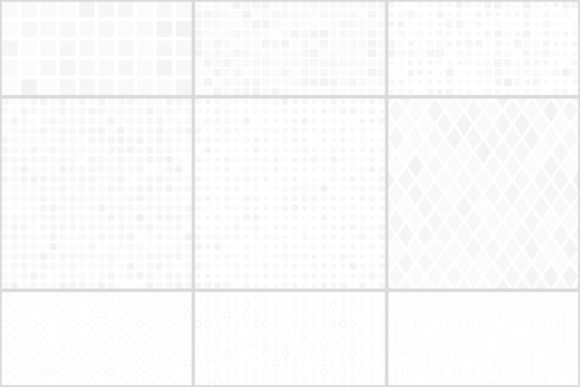
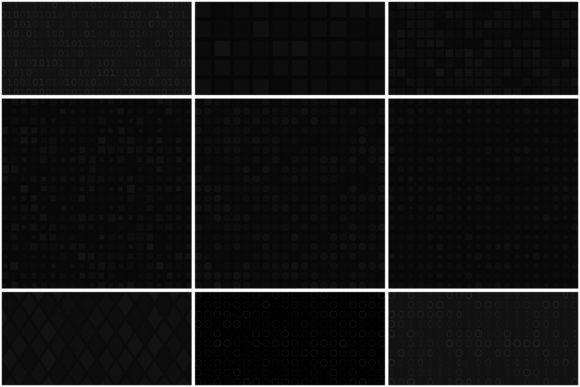
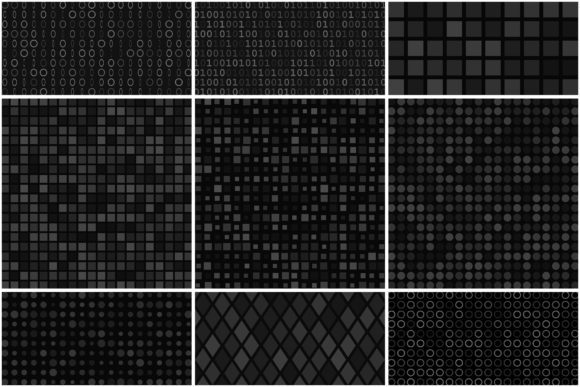
The Simple Abstract Seamless Patterns collection builds on this foundation by offering patterns composed of small repeating elements or pixel-like motifs. The abstract nature of the designs means they avoid the pitfalls of overly literal or thematic patterns that can quickly feel dated or limiting. Instead, these textures serve as neutral yet visually engaging backdrops that can enhance a wide range of projects without overwhelming the primary content.
What Makes This Collection Stand Out
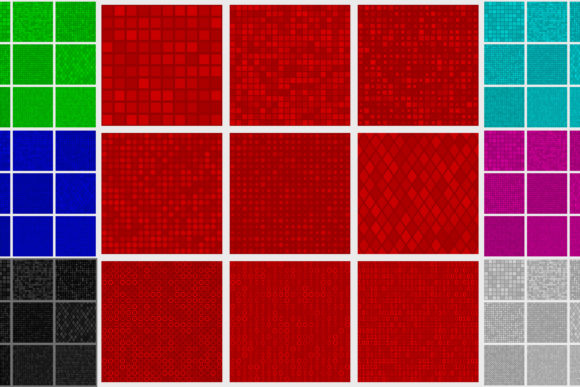
One of the first things to appreciate about this pack is its structural organization. The collection contains 8 files, and each file holds 9 seamless patterns, giving you a total of 72 distinct textures to work with. That’s a substantial variety without being overwhelming—enough to cover different color needs and stylistic directions without drowning you in choice.
Color Range and Versatility
The patterns are available in a thoughtful selection of colors: gray, red, yellow, green, light blue, blue, purple, and black. This palette covers both neutral tones for subtle backgrounds and bolder hues for accent work. Whether you are designing a corporate presentation that calls for understated grays or a social media campaign that benefits from vibrant purples and blues, the range gives you room to match the mood of your project without needing to recolor assets manually.
File Formats and Resolution Details
Practicality extends to the file formats included. The pack provides 8 .ai CC files for users working in Adobe Illustrator, 8 .eps 10 files for broader vector compatibility, and 8 .jpg files at an impressive resolution of 6666×6666 pixels. This resolution is significant because it allows for large-scale printing without pixelation—think banners, posters, packaging mockups, or even fabric prints. The inclusion of both vector and high-resolution raster versions means you are covered regardless of whether you are scaling a pattern up for a billboard or using it as a subtle texture on a mobile screen.
Practical Applications Across Different Fields
The true value of a pattern library reveals itself when you start applying it to real projects. Here are some of the most effective ways I’ve seen these textures used, along with scenarios where they genuinely shine.
For Digital Designers and Web Creators
Web and UI designers often need background textures that add depth without distracting from content. The Simple Abstract Seamless Patterns work particularly well as hero section backgrounds, card overlays, or subtle dividers between page sections. Because the patterns are abstract and composed of small elements, they scale down gracefully on mobile devices without becoming muddy or unrecognizable. I’ve used similar patterns to create visual separation in long-form articles and to add a tactile feel to otherwise flat interface components.
For Print and Surface Design
Print projects demand high resolution and color accuracy, and this pack delivers on both counts. The 6666×6666 pixel JPGs are suitable for printing at sizes up to roughly 22×22 inches at 300 DPI, which covers most standard print applications. Surface designers working on textiles, wallpaper, or stationery will appreciate the seamless repeat, which saves hours of manual tile adjustment. The vector files also allow for custom color adjustments if a specific project requires a shift in hue or saturation.
Evaluating the Strengths and Limitations
No resource is perfect for every situation, and being honest about both strengths and limitations helps you decide if this collection fits your workflow.
Strengths: The variety of colors and the dual vector-plus-raster format are clear advantages. The resolution of the raster files is generous, and the seamless quality is reliable—meaning you can drop a pattern into a project without spending extra time fixing edges. The abstract style also ensures longevity; these patterns won’t look dated next season. For designers who work across multiple mediums, having both AI and EPS files provides flexibility that many competing packs lack.
Considerations: Because the patterns are built from small elements or pixel-like motifs, they tend to read as fine textures rather than bold graphic statements. This is ideal for background use, but if you are looking for large-scale, highly detailed illustrative patterns, this collection may not be the right fit. Additionally, the color palette, while well-chosen, is fixed in the sense that each pattern comes in a specific color variation—you won’t find multi-color gradients or complex tonal blends within a single pattern file. That said, vector users can always recolor the AI or EPS files to match exact brand specifications.
Who Benefits Most From These Patterns
Based on the file formats, resolution, and design style, this collection is best suited for:
- Graphic designers who need reliable, ready-to-use textures for client projects and want to avoid the time cost of creating patterns from scratch.
- Web and UI designers looking for lightweight, scalable background textures that work across devices and screen sizes.
- Print-on-demand sellers who create products like phone cases, mugs, t-shirts, and prints, and need commercially viable patterns that repeat cleanly.
- Small business owners managing their own branding who want to add a professional texture to social media graphics, email headers, or packaging without hiring a designer.
- Hobbyists and crafters working on digital scrapbooking, card making, or DIY print projects where consistent quality matters.
On the other hand, professionals who require photorealistic textures, organic hand-drawn motifs, or large-scale geometric patterns may find this collection too abstract or fine-grained for their specific needs. It’s not a one-size-fits-all solution, but for its intended purpose—providing clean, versatile, seamless textures—it performs admirably.
Real-World Scenarios and Use Cases
Let’s look at a few concrete examples to illustrate how these patterns might be used in practice.
- E-commerce product photography: A small business selling handmade ceramics uses the gray and light blue patterns as subtle backdrops for product photos. The seamless repeat ensures no distracting lines appear behind the items, and the soft colors keep the focus on the ceramics.
- Presentation decks: A marketing consultant prepares a quarterly review for a client. She uses the black pattern as a dark slide background with white text, and the green pattern as an accent divider between sections. The consistent quality across slides gives the deck a cohesive, professional look.
- Social media templates: A content creator builds a set of Instagram story templates using the purple and yellow patterns as alternating backgrounds. Because the patterns are abstract, they don’t compete with overlaid text or stickers, and the high resolution ensures clarity even on retina displays.
- Packaging prototypes: A product designer creating packaging for a new subscription box tests different color variations of the pattern on box mockups. The vector files allow quick color adjustments to match brand guidelines, and the seamless nature of the pattern means no awkward cuts or mismatches on the final print.
Tips for Choosing the Right Pattern for Your Project
With 72 patterns available, selecting the right one for a specific project can feel like a lot of options. Here are a few practical pointers to help narrow down the choice:
- Start with the color palette: Identify the dominant colors in your project and match a pattern that complements rather than competes. Neutral patterns like gray and black work well as backgrounds for colorful content, while bold colors like red or purple can serve as accent textures.
- Consider scale and resolution: For digital projects, the JPG files at 6666×6666 pixels give you plenty of room to scale down, but scaling up beyond the original resolution is not recommended. Vector files give you infinite scalability, so use those if you need to enlarge the pattern significantly.
- Test the repeat: Even though the patterns are seamless, it’s always a good idea to test the repeat in your design software before committing. Place the pattern on a large canvas and check for any visible seams or irregularities, especially if you are using the raster version at an unusual scale.
- Layer with transparency: One technique I frequently use is placing a pattern layer over a solid background with reduced opacity. This creates a textured effect that is more subtle than a full-opacity pattern and can help integrate the texture more naturally into your design.
Final Thoughts on Practical Value
The Simple Abstract Seamless Patterns collection earns its place in a designer’s toolkit by focusing on what matters most: technical reliability, visual flexibility, and real-world usability. It doesn’t try to do everything, but what it does—providing clean, repeating abstract textures in a range of useful colors—it does well. Whether you are a professional designer managing tight deadlines, a business owner building your brand, or a creator exploring new visual directions, having a solid set of seamless patterns on hand saves time and elevates the quality of your work.
If you’ve ever spent hours trying to fix a visible seam or struggled to find a background texture that doesn’t distract from your main content, this collection offers a practical solution that lets you focus on the creative parts of your project instead. That, ultimately, is the kind of resource worth having around.